
Mods for Minecraft: Mobs, Maps
Feel like a creator — your world, your rules!
•
Browse mods by theme and mood
•
Install and play instantly
•
Over 5,000 mods are categorized for your benefit


From idea to build in seconds:
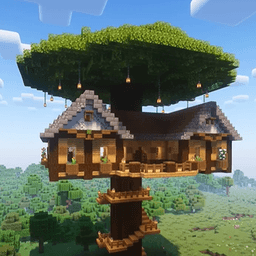
"Now I feel like the creator of my world!"
•
Install whatever you want, whenever you want
•
Your upgraded world is all about freedom and control
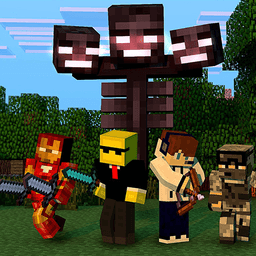
"Now my survival feels safe"
•
Filters and selection for your MCPE version
•
Verified sources — safe files only
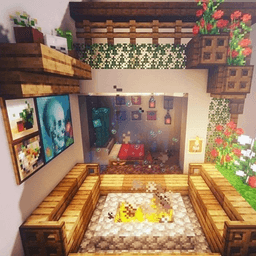
"That was simple and fast!"
•
One-tap install with no extra steps
•
Instant sharing of packs and co-op

"Co-op in 2 minutes — same setup for everyone"
•
Share a mod with friends in 1 tap
•
One mod-packed world for all of you
Recognize yourself?
I'm bored in a vanilla world
😢
999
My world keeps crashing due to version conflicts
😢
999
Tired of searching for good mods for hours
😢
999
Exhausted from manual installs and endless ads
😢
999
I want to build and relax, not fix errors
😢
999
FPS drops after shaders?
😢
999
Hard to play with friends — everyone has a different setup?
😢
999
I can't import the downloaded mod!
😢
999
How it will work for you

Want to build a new house?
•
Choose a furniture mod or a ready-made structure
•
Hundreds of blocks from all biomes for your dream build!

Find mods that match your mood
•
Pick mods by theme and rating
•
Add favorites so you never lose the best ones

Build fast and beautifully!
•
Choose mods with furniture and decoration
•
Add shaders — lighting and shadows look like in a trailer

Ready-made sets for any scenario
•
We assemble — you import and explore brand-new worlds!
•
Add shaders for dramatic lighting and cinematic shadows
Still not sure?
Afraid of ads and fakes?
"Already downloaded my 5th mod in 3 minutes! Somebody stop me lol!"

CreepyPapa
Think mods won’t work?
"Guys, the version filter here is amazing. Picked mine, checked the pack and shaders — everything is fire!"

Cris Axe
Don’t want to waste time searching?
"Found the exact mod I needed by name. Respect to the dev!"
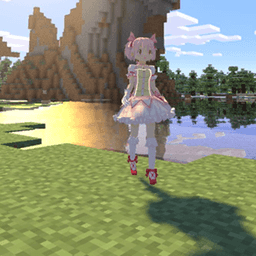
Amanda F.
Think you’ve seen it all?
"Daily updates with fresh mods. I open it — yup, new stuff again. Love it!"
Antonio L.